From zero to a working AI agent in weeks, not months.
A four-step model that eliminates upfront risk, delivers measurable results from day one, and keeps your agents running, monitored, and up to date forever.
- 01
Environment Setup
One-time setup fee · Shared across all agents · Takes 2–4 weeksOne-time configuration of your Microsoft 365 environment: Azure AI Foundry, Copilot Studio, and Agent Builder. This creates the secure foundation all your future agents share.
What's included
- Azure AI Foundry workspace configuration
- Copilot Studio environment setup
- Agent Builder provisioning
- Data Platform architecture design
- Security and access policy review
- 02
Custom Agent Design
Zero development cost · Built on your data and toolsWe design agents specifically for your business processes and data. Each agent is vertical and precise — not a generic assistant, but a specialist built for one job. We define the metrics together with you before development begins.
What's included
- Process mapping and agent scoping
- Metric definition and KPI design
- Data source identification and connection
- Integration with existing business tools
- Agent persona and behavior configuration
- 03
Pay Per Action
Consumption-based · Transparent metrics · Minimum commitment appliesEach agent has clear, agreed-upon metrics. You pay only for the actions it performs — tickets resolved autonomously, reports generated, documents processed. No action, no cost. A minimum monthly commitment applies to cover development costs.
What's included
- Per-action pricing agreed upfront
- Monthly consumption dashboard
- Minimum commitment threshold
- Volume discounts above agreed thresholds
- Multi-year pricing available (up to −20%)
- 04
Measure Your ROI
Real-time dashboard · Per-agent ROI visibility · Always onYour governance dashboard shows real-time usage, metrics, and consumption. Calculate the return on investment for each agent at any time — and prove the value to leadership with data, not assumptions.
What's included
- Real-time governance dashboard
- Per-agent consumption tracking
- ROI calculation per metric
- Usage trend analysis
- Alerts on threshold approach
These are not chatbots.
theywork365 agents can do far more than answer questions. They retrieve, reason, produce, and act — autonomously, inside your secure perimeter.
-
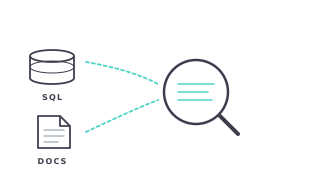
Retrieve
Fetch information from structured and unstructured company data on demand.
-
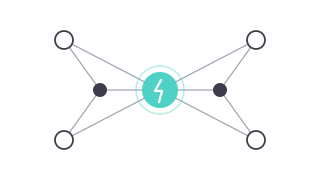
Reason
Analyze data, identify patterns, and make recommendations based on context.
-
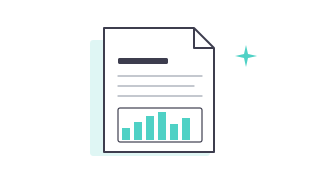
Produce
Generate rich outputs: charts, tables, cards, reports, and formatted documents.
-
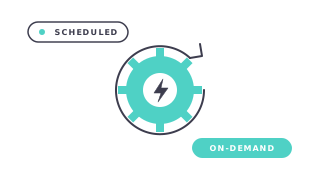
Act
Execute actions autonomously — on request or on a schedule — and send alerts.
See exactly what you pay — and why.
Every agent has specific metrics agreed upfront. Here's a real example.
Example agent
L1 IT Support Agent
Handles first-level IT support requests autonomously, creates knowledge base articles, and alerts the service desk on outdated content.
Metrics & pricing
-
Tickets resolved autonomously
€1.50 / ticket200 tickets/mo = €300/mo
-
KB articles created
€4.00 / article20 articles/mo = €80/mo
-
Service desk alerts sent
€0.50 / alert15 alerts/mo = €7.50/mo
Estimated monthly total
~€387.50/mo
Traditional approach
€35,000 upfront + €8,000/yr maintenance
Full upfront cost before seeing any result. Maintenance fee regardless of usage or value delivered.
theywork365 approach
€0 upfront + ~€387.50/mo
Pay only for the value the agent delivers. Stop at any time. Scale up as usage grows.
Ready to start?
Talk to an expert and get your first agent scoped in one call.